

If you have spent any serious time building with Anthropic's Model Context Protocol (MCP), you have likely run headfirst into what engineers are calling the tool sprawl dilemma. When MCP was first released, most setups wired two or three servers: a local SQLite database, a filesystem reader, and perhaps a GitHub integration. Everything was fast, prompt tokens were negligible, and the model rarely missed a tool call.
Fast forward to production setups, and developers are now attempting to connect 10, 15, or 20 distinct MCP servers simultaneously: Postgres, Redis, AWS, Slack, Sentry, Jira, and Docker. Each server exposes anywhere from 5 to 20 individual tool schemas. Suddenly, your AI client is forced to prepend over 50 tool definitions into the context window on every single turn.
The Token Tax and Attention Degradation
The problem is twofold: direct financial cost and cognitive degradation. Each MCP tool definition is not just a function name—it is a verbose JSON Schema containing parameter types, nested properties, enums, and detailed markdown descriptions intended to guide the model's decision making.
A suite of 60 active tools can easily devour 20,000 to 45,000 tokens before the user even types their first question. In a multi-turn conversation of 20 turns, you are paying for those 45,000 schema tokens 20 times over. Worse, research into 'lost in the middle' phenomena demonstrates that packing dozens of similar tool schemas into the context window significantly increases tool selection errors and hallucinated parameter values.
The Docker MCP Architecture: Gateway and Catalog
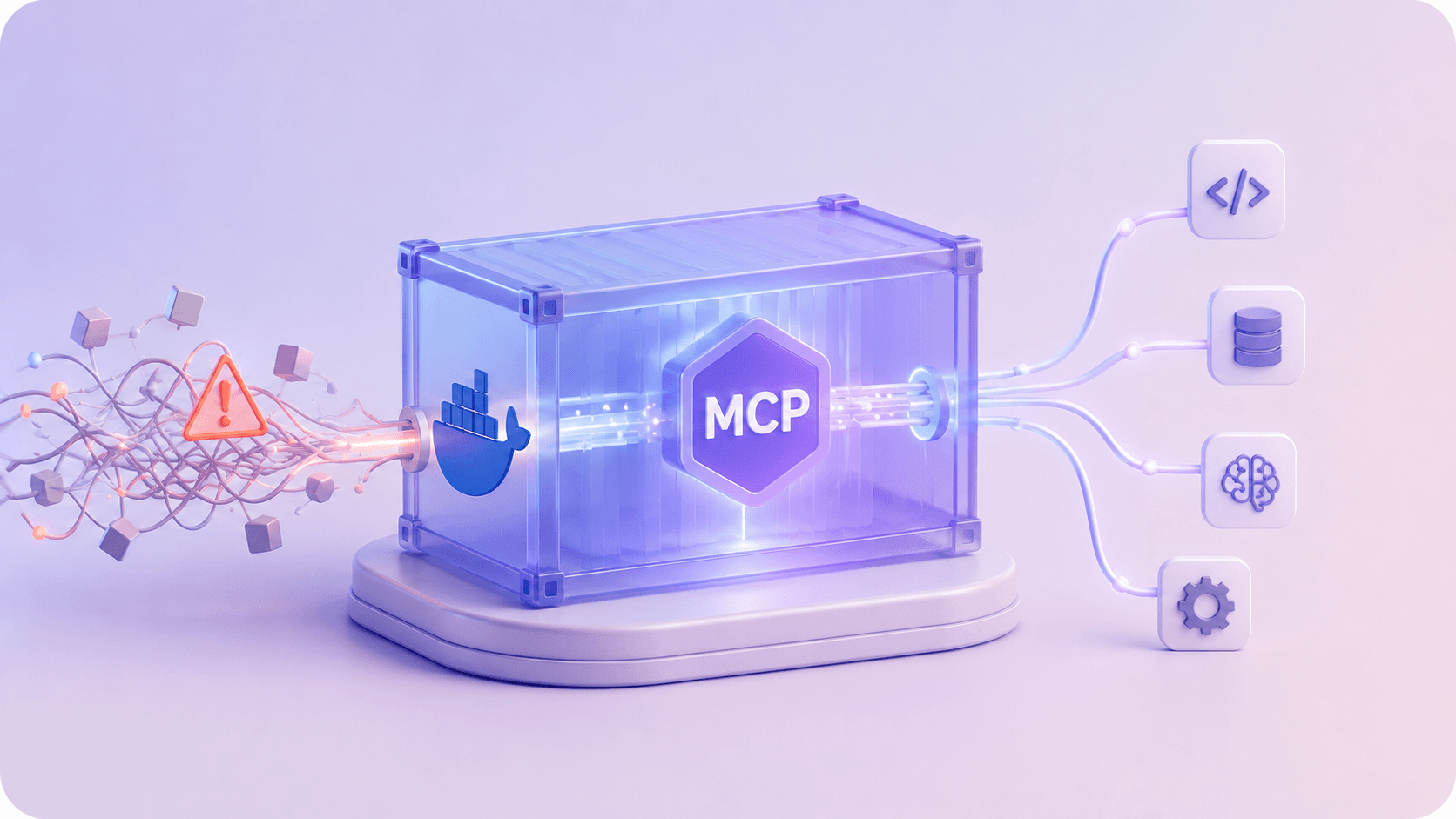
Docker's official answer—built into Docker Desktop 4.50+ via the MCP Toolkit and the open-source Docker MCP Gateway—fundamentally redesigns how agents interact with external capabilities. Instead of treating MCP servers as host-level node or python processes that must be statically declared in client configuration files, Docker introduces three core concepts:
- Docker MCP Catalog: A curated registry of 300+ containerized, pre-verified MCP servers (
mcp/postgres,mcp/github,mcp/slack, etc.). Packaging servers as container images eliminates Python virtualenv collisions, Node version mismatches, and native dependency compilation on the host. - The Docker MCP Gateway: An intelligent local daemon and proxy that acts as the single unified MCP server exposed to your AI client (Claude Desktop, Cursor, VS Code, or Claude Code). The gateway orchestrates underlying container lifecycles on demand.
- Dynamic Tool Discovery: Rather than sending 50 tool schemas to the model up front, the Gateway sends only four meta-management tools:
mcp-find,mcp-add,mcp-config-set, andmcp-remove.
Configuring the Gateway in Claude Desktop and Cursor
Connecting an AI client to the Docker MCP Gateway requires only a single server entry in your client configuration file (claude_desktop_config.json on macOS/Windows, or a project-level mcp.json). Once connected, the client never needs to be restarted when new tools are added or removed:
{"mcpServers": {"MCP_DOCKER": {"command": "docker","args": ["mcp", "gateway", "run"]}}}
When the client launches, the model sees the Docker Gateway. When you ask the agent: 'Can you inspect our production Postgres schema and list recent orders?', the agent doesn't fail because it lacks a Postgres tool. Instead, it calls mcp-find(query="postgres"), receives the catalog result, calls mcp-add(server="mcp/postgres"), and the gateway spins up an isolated container instantly. The Postgres tools are registered into the session dynamically without restarting the client.
Direct Containerized Execution without the Gateway
If you prefer fixed, deterministic server declarations without dynamic discovery, Docker also solves the security isolation challenge. Traditional MCP servers run directly on your host machine with full user permissions. By running official Docker MCP images directly via stdio, you gain container sandboxing and explicit environment control:
{"mcpServers": {"postgres-db": {"command": "docker","args": ["run","-i","--rm","-e","DATABASE_URL=postgresql://read_only_user:secret@host.docker.internal:5432/space_production","mcp/postgres"]},"github": {"command": "docker","args": ["run","-i","--rm","-e","GITHUB_PERSONAL_ACCESS_TOKEN=ghp_yourTokenHere","mcp/github"]}}}
Notice the -i (interactive/stdin passthrough) and --rm flags. Communication happens over standard input and output (JSON-RPC 2.0) exactly as the MCP specification mandates, but the process has zero access to your local /Users or filesystem unless you explicitly map a volume with -v.
Managing Profiles via the Docker CLI
In team and production development, you often want specific tool sets bundled for specific repositories. Docker provides profile management through the docker mcp CLI plugin:
# 1. Create a specialized profile for backend data engineeringdocker mcp profile create --name backend-data# 2. Add verified catalog servers to the profiledocker mcp profile server add backend-data --server mcp/postgresdocker mcp profile server add backend-data --server mcp/redis# 3. Configure credentials on the profile securelydocker mcp profile config backend-data --set mcp/postgres.DATABASE_URL=postgresql://user:pass@db.internal:5432/app# 4. Launch the Gateway restricted to this verified profiledocker mcp gateway run --profile backend-data
You can also connect external desktop applications directly using the CLI bridge:
docker mcp client connect claude-desktop --profile backend-data
Code Mode: Solving the Multihop Payload Explosion
The second breakthrough in Docker MCP is Code Mode (powered by mcp-exec). In standard agent interactions, if a tool returns a 4,000-line JSON array, the entire payload enters the LLM's conversation history just so the model can run a simple filter or aggregation.
Under Code Mode, the gateway provides a sandboxed JavaScript runtime container. Instead of streaming raw JSON payloads back to the model, the model writes a brief script that invokes the underlying MCP tools inside the container, processes the data locally in memory, and returns only the final scalar result or filtered summary back to the conversation. Docker estimates this reduces turn-by-turn context bloat by up to 90% on data-heavy tasks.
The shift underneath all of this is from monolithic agents that attempt to hold the entire world in their context window to modular, discovery-driven agents that pull tools on demand inside secure containers. It is the single most practical architectural pattern for scaling MCP in production.